How Inspectir protects you without sending anything anywhere.
Inspectir runs on your iPhone and iPad and looks at every connection your apps make. It names the company behind each one and lets you cut any of them off with one switch. iOS calls it a VPN; it runs on the phone and sends nothing anywhere. There is no account and no server in between.
Three steps
Turn protection on
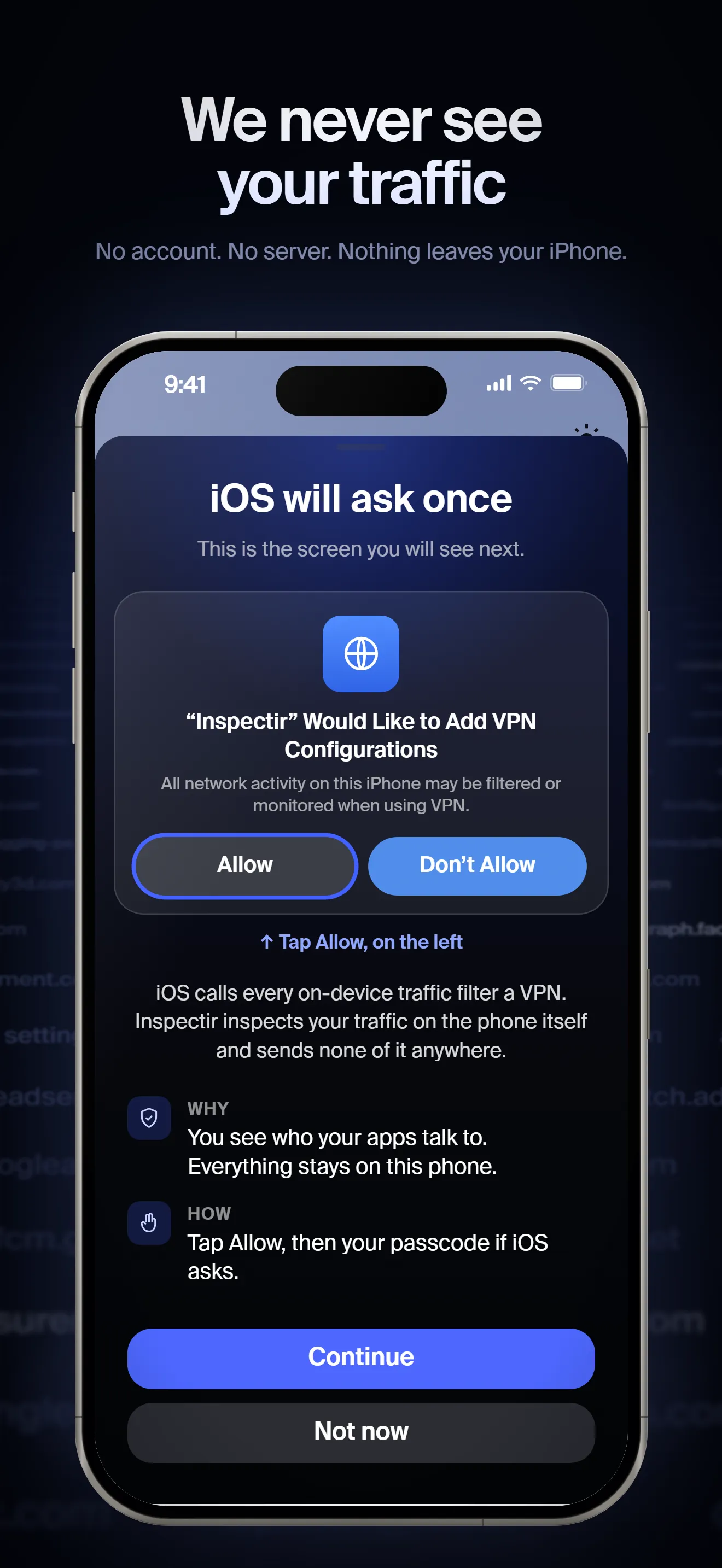
iOS asks once to add a VPN configuration, because that is the only way iOS lets an app see the phone's connections. Inspectir runs on the phone and sends nothing anywhere.
Inspectir checks every connection
Each connection your apps make is checked on the device, and Inspectir names the company behind it from a catalogue of 5,000+ companies.
You decide who gets cut off
Restrict any company with one switch, in every app at once. Every restriction goes into a receipt log, so you can undo it any time with one tap.
What a VPN does and does not do
A VPN sends your traffic through a server somewhere else. That hides what you do from whoever runs the Wi-Fi, and hides your IP address from the sites you visit.
It does not change who your apps report to. The same companies still hear from them, only by a longer road. Inspectir names those companies and lets you cut them off.
Inspectir does not hide your IP address.
Why iOS shows a VPN icon
iOS has one way to let an app see the phone's connections: a VPN configuration. So with protection on, iOS shows the VPN icon and lists Inspectir under VPN in Settings. iOS calls it a VPN; it runs on the phone and sends nothing anywhere. Works on iPhone, iPad and iPhone Duo. A Mac version is on the way.
If you say no when iOS asks, Inspectir cannot see your connections, so there are no findings and no restrictions. The company catalogue and the website check still work, and you can turn protection on later from the main screen.
Questions
Is Inspectir a VPN?
Not in the usual sense. A usual VPN sends your traffic to a server somewhere else. iOS calls Inspectir a VPN because that is how iOS lets an app see the phone's connections; it runs on the phone and sends nothing anywhere.
Does Inspectir hide my IP address?
No. Your apps and the sites you visit see the same IP address as before. What changes is that you see which companies they talk to, and you can cut any of them off.
Does Inspectir see my passwords?
Encrypted content stays encrypted. If you turn on Full traffic view, you choose to see what your own apps send, on the phone and nowhere else, and some apps, such as banking apps, stay private. Nothing Inspectir sees leaves your iPhone or iPad.
Does it work on mobile data and on Wi-Fi?
Yes. Protection works on Wi-Fi and on mobile data, and it keeps working when the phone moves from one to the other.
Can I pause Inspectir?
Yes. Turn protection off on the main screen, and turn it on again whenever you like. You can also say "Turn on protection in Inspectir" to Siri. While protection is off, Inspectir sees nothing and restricts nothing.
See it on your own iPhone or iPad.